WinSCP
Graphical SFTP, SCP and FTP file transfer for Windows.
Open source Desktop download
- Platforms
- Windows (portable; runs on Linux via Wine)
- Licence
- Open source — GPL-3.0
- Price
- Free
- Category
- Network & diagnostics
- Updated
- 2026-11-05
What it is
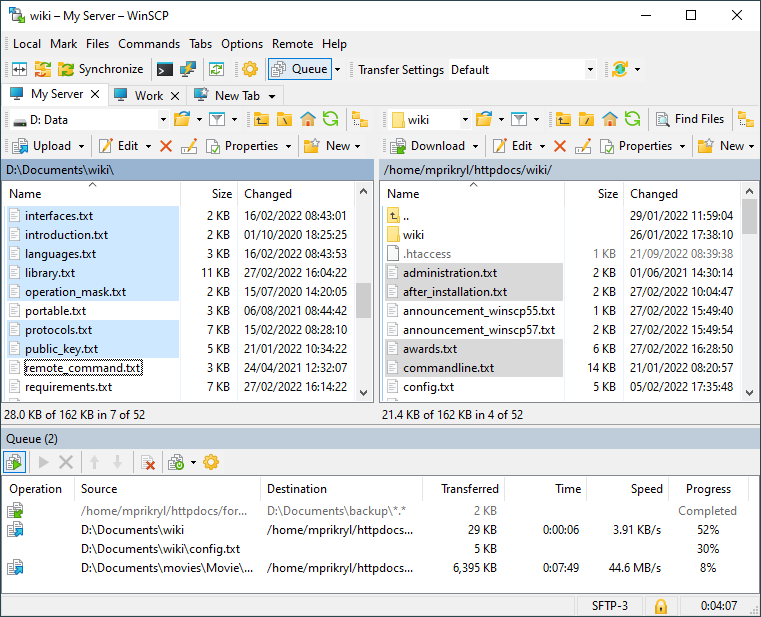
WinSCP is a graphical file-transfer client for Windows supporting SFTP, SCP, FTP and WebDAV. It is used for secure file exchange with servers, directory synchronisation and quick edits with its built-in editor.
Problems it removes
- You need a GUI to move files to and from Linux servers securely.
- A remote config file needs a quick edit without a full SSH workflow.
How administrators use it
- Connect over SFTP or SCP and drag-and-drop files between local and server.
- Use the built-in editor for quick remote edits.
- Synchronise a local folder to a server directory.
Strengths & trade-offs
Strengths
- Free; SFTP, SCP, FTP and WebDAV.
- Integrates with PuTTY and its keys.
- Directory sync plus a built-in editor.
Trade-offs
- Windows only.
- GUI-focused — scripting exists but is secondary.
Common questions
Does it use the same keys as PuTTY?
Yes — it works with .ppk keys and can convert from other formats.
Can transfers be automated?
Yes — WinSCP has a scripting and command-line interface for scheduled transfers.